Quick Tip: How to Increase the Quality of Large Spotlights in Photoshop

TweetI am sure at some point you created a large light point or a gradient and noticed that the their quality diminishes along with reducing their opacity. Well, this quick tip will surely help you fix that quickly and easily.
This issue is more often encountered in web design, since you need a light spot somewhere on your background to make the page look nice and have a focus point or use a large gradient on backgrounds.
After quite a few hours of “trial and error” and a considerable amount of coffees, both spilled and drunk, found a nice solution to this problem.
Here’s what I did!
I created this image with a dark purple background and a soft brush stroke with 100% Opacity and 100% Flow. So far, the light looks nice, but it’s far too intense for a background.
![]()
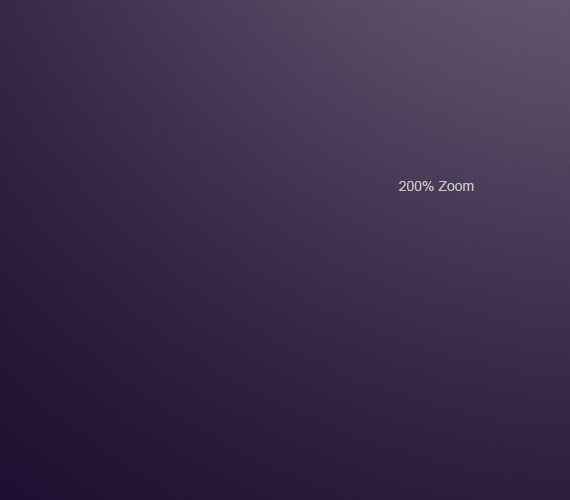
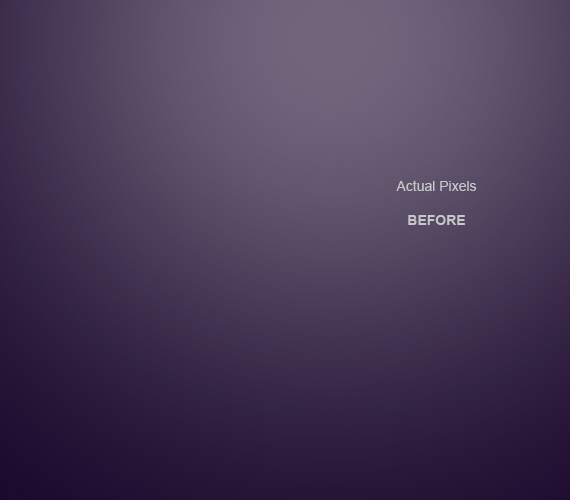
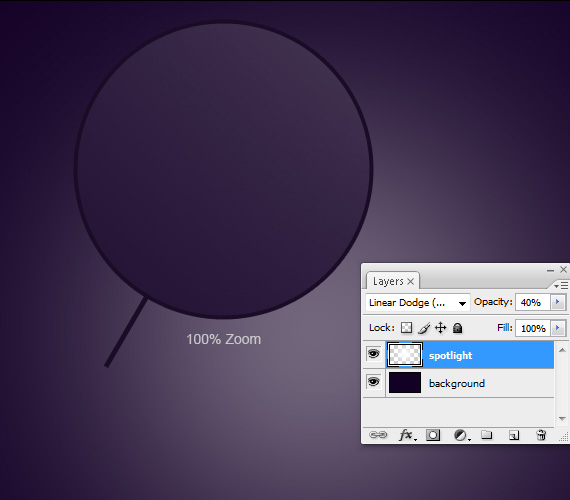
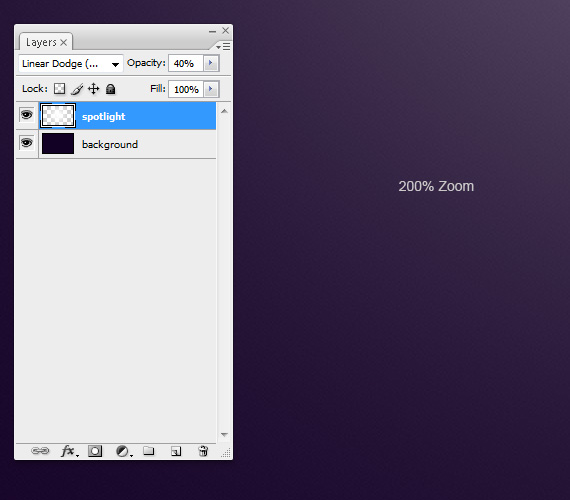
I’ve set the layer Blending mode to Linear Dodge (Add). Using this will preserve some texture from the background, if there is one. I’ve also set the layer’s Opacity to 40%. And from this point those pesky lines are starting to appear.
![]()
And here’s how I fixed it!
STEP 1
With the spotlight layer selected, Go to Filter > Sharpen. Do this twice.
![]()
STEP 2
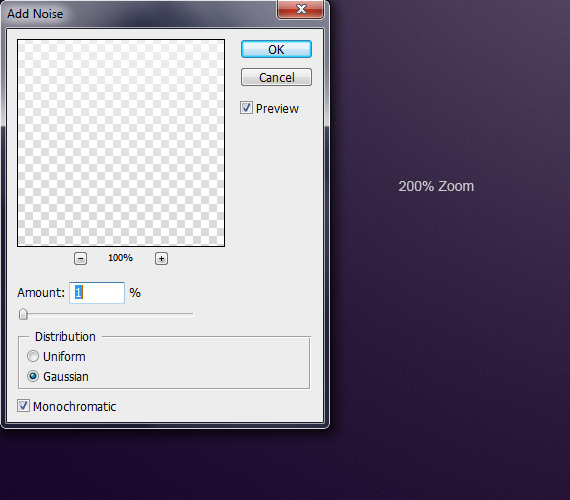
Go to Filter > Noise > Add Noise and set it to 1%, Gaussian, Monochromatic.
![]()
![]()
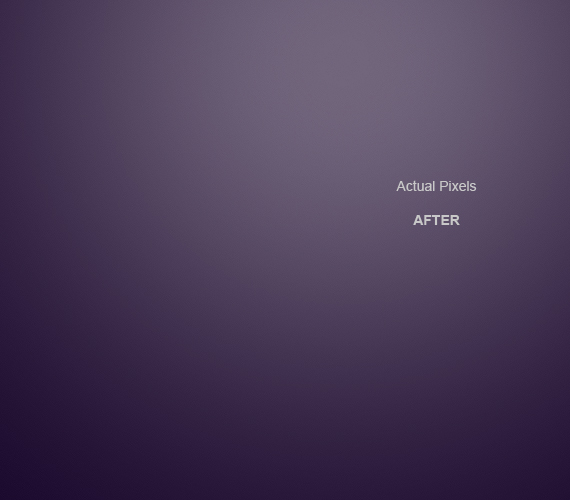
Here’s the difference:
![]()
![]()
For opaque gradients, the 1% Noise is enough to make the gradient look smoother.
Was this tip helpful to you? Leave a comment!
5 Comments
Crazyhunk
10.07.2010
Good tip…
I had always just added the noise filter based on the size of the image… but sharpening twice seems be a better…
Thank You
pG0
10.15.2010
oh thank a lot.
most of the time is seems helpless do to something good to this opaque gradients…
but now i’m happy….
thanks again.
peter
10.16.2010
charming girl
peter
10.16.2010
super cool i will try it later
Important Features of a Good Payment Gateway For Your Growing Online Business
03.02.2011
A good payment gateway integration allows your company to offer your customers a good experience in making the payment with confidence by using credit card, debit card, electronic check and allow them to buy products from all over the world.
Quick Tip: How to Increase the Quality of Large Spotlights in Photoshop | The best Tutorials
10.07.2010
[...] Quick Tip: How to Increase the Quality of Large Spotlights in Photoshop is a post from Designious Times – Graphic design tutorials, resources and inspiration. brush stroke, dark purple background, dodge, focus point, gradient, gradients, graphic design tutorials, inspiration, opacity, spotlight, texture, trial and error, web design [...]
Quick Tip: How to Increase the Quality of Large Spotlights in Photoshop | CG Stream
10.08.2010
[...] Quick Tip: How to Increase the Quality of Large Spotlights in Photoshop is a post from Designious Times – Graphic design tutorials, resources and inspiration. [...]
Quick Tip: How to Increase the Quality of Large Spotlights in Photoshop
10.12.2010
[...] with reducing their opacity. Well, this quick tip will surely help you fix that quickly and easily.Source LinkHelp Us Grow And Share This Post! Tweet Share(function() { var s = [...]
100+ Awesome Fresh Articles for Web Designers Web Developers — tripwire magazine
10.12.2010
[...] Quick Tip: How to Increase the Quality of Large Spotlights in Photoshop [...]
100+ Awesome Fresh Articles for Web Designers Web Developers | The best Tutorials
10.12.2010
[...] Quick Tip: How to Increase the Quality of Large Spotlights in Photoshop [...]
CSS Brigit | Quick Tip: How to Increase the Quality of Large Spotlights in Photoshop
10.13.2010
Quick Tip: How to Increase the Quality of Large Spotlights in Photoshop…
I am sure at some point you created a large light point or a gradient and noticed that the their quality diminishes along with reducing their opacity. Well, this quick tip will surely help you fix that quickly and easily….
Quick Tip: How to Increase the Quality of Large Spotlights in Photoshop | The best Tutorials
10.13.2010
[...] Quick Tip: How to Increase the Quality of Large Spotlights in Photoshop Quick Tip: How to Increase the Quality of Large Spotlights in Photoshop [...]
99 Fresh Tutorial & Resources For Web Designer | blogfreakz.com
11.01.2010
[...] Quick Tip: How to Increase the Quality of Large Spotlights in Photoshop [...]
There are no trackbacks to display at this time.