

3 Ways in Which Colors Affect Your Creativity Backed by Science
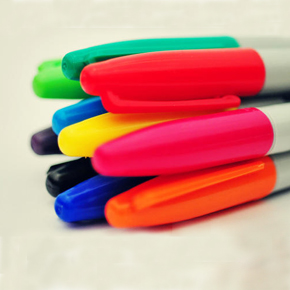
“Creativity is not merely the innocent spontaneity of childhood; it must also be married to the passion of the adult human being, which is a passion to live beyond one’s death.” – Rollo May
The fact that the colors you see alter your moods and have a visible effect on your emotions and view of the world is, by now, commonplace. Everybody knows that. Most likely, so do you. You probably also know how important creativity is in every aspect of your life, from the workplace to your family life and everything in between.
Creativity is one of our favorite subjects and we’ve covered ways to enhance and improve your creative output and to help yourself think outside the box more often with these articles about how to maintain your creativity when working from home and a practical guide on how to overcome creative block.
We’ve also tried to gather all the inspirational resources you might need in your life as a freelancer in the creative industries with articles like 20 Best Package Designs of 2013 or 20 Cool iPad Apps for Web Designers.
And yet, there is one question we need to address more often than not: “ what is creativity?” Well, a first attempt to define the concept is the ability to provide unorthodox solutions to everyday problems. This definition, unfortunately, doesn’t help us very much, as it uses terms such as “unorthodox”, that require further clarification. Unorthodox can be defined as “not commonplace”. In other words, “creative”.
If we replace the term in the definition of creativity, we get “creativity refers to the ability to provide creative solutions to everyday problems.” That isn’t very helpful, is it?
Let’s try to define this elusive concept a second time. Creativity is the ability to think of unusual solutions to everyday problems. Now we’re getting somewhere. “Unusual” is a long way away from unorthodox. It means not usual.
Therefore, creativity is something that isn’t usual, it’s something out of the ordinary, in other words, extraordinary. And yet, we all have the ability to be creative, to a certain degree. This issue can be easily settled by pointing out that everyone is at least a little bit extraordinary, as everyone is at least a little bit different from everyone else.
This means that we can define creativity as the ability every human being has to think differently from everyone else regarding everyday problems and situations. That sounds a lot better than the previous two definitions, doesn’t it?
That’s all great, you might say, but what does it have to do with colors? Well, people, as a rule, even though they are capable of thinking differently than everyone else, do tend to solve certain issues in pretty much the same way, because they’ve been taught a certain way to approach an issue or just been told “this is the way you do that.” Being able to shake off that social programming is a big part of creativity and the ability to do so is directly influenced by your moods and emotions.
We’ve already touched on the fact that colors have the ability to influence your emotional state and your mood in this article and in previous ones like Color Psychology in Web Design – Big Websites Case Studies or Basic Principles of Color Theory in Web Design, but usually we’ve referred to how you, as a graphic designer, can harness these colors in order to obtain a desired behavior from the people interacting with your work.
This time, let’s take a look at how colors can affect your own moods and thought patterns. It stands to reason that, if you can use colors to influence others, you can use them to influence yourself.
Since, as we already said, we’re highly preoccupied by creativity and how one can enhance it in ones self, what follows is a look into how colors can make you more creative and more likely to think outside the box and why that is.
Red is a big no-no
So which colors have the biggest effect on your creativity? As it turns out, green and blue, but more on that in a minute. For now, let’s take a look at the color red. Most research on the topic of colors and their mental effects has been focused on the color red. Red has been linked to sexual attractiveness, the perception of danger, adherence to standards and attention to detail.
Now, most research into the way color affects mental and cognitive performance has been focused on two colors: red and blue. For a long time, researchers have disagreed about which color provides the bigger boost in mental capacity. As it turns out, it all depends on the nature of the task you need to perform.
Sure, red does improve performance on certain tasks, but all of them are detail-oriented tasks, like memory retrieval and proofreading. It does this a lot better than other colors. For instance, compared to the color blue, red gives a boost that’s up to 31% bigger in these tasks. So, if you want to tackle this type of task, red is the color to go to. Still, these aren’t really creative tasks, so in order to boost your creative abilities, you’ll have to look into other colors.
These other colors, as it turns out, are green and blue.
Blue is good for brainstorming

Blue has been proven to work better than red at giving creativity a boost. When brainstorming in a blue environment, people have been known to produce twice as many creative ideas than when they were subjected to red stimuli.
Why is that? Well, on one hand, because we associate red with danger, we become more alert when faced with this color. This alertness is then focused on whatever task we’re working on – that’s why it’s so much better than blue at boosting output when working on detail-oriented tasks. On the other, we associate blue with vast, tranquil expanses, like the sky, the sea and water in general. This puts us in a state of mind of peace and tranquility that makes us feel safe and allow our brains to wander off the well-trodden path, as our brains no longer think our very survival is at stake.
Green helps your creativity grow
Meanwhile, there’s another color you can use to put you in that state of mind that makes creative thinking so much easier. Of course, we’re talking about green. The etymological root of the word “green” is the same as the word “grow”.
Historically, humanity has associated the color green with fertility, life and hope. These days, we associate green with ecology and the environment. We use phrases like “going green”, “having a green thumb”, “the grass is always greener”, “greener pastures” and so on. Not only do we associate the color green with tranquility, as we do with the color blue, but we also associate it with growth and life. Furthermore, green is the most restful color to look at. It does stand to reason that the color green does have an important effect on our psyche.
While older research has proven there is no link between green and improved performance when working on analytical, detail-oriented tasks, more recent studies have shown that green, much like blue, facilitates creativity.
Okay, so now we know which colors boost creativity. Now what? Do you have to do something special in order to harness their positive effects? Not at all. The only effort you have to make is make sure that you have these colors around you when you need to be more creative. Since colors operate on a subconscious level, you don’t even have to actively think about them. A simple two second look at something green or blue will boost your creativity.
So just get a potted plant and maybe a blue painting or picture in your workspace and you’re good to go! Whenever you feel the need to enhance your creativity or you feel your creative batteries running low, just take a look at your ficus or at the sky and you’ll soon feel recharged and more creative.
That about covers our look into the way you can use colors to enhance your creativity, which colors to pick and how each one affects your creative output. Have you tried this out yourself? How well did it work? Be sure to let us know by leaving us a message in the comments section below!
It is very difficult to choose the right one but I always love to choose green. I appreciate with you that green can grow creativity. Thanks for this nice post.